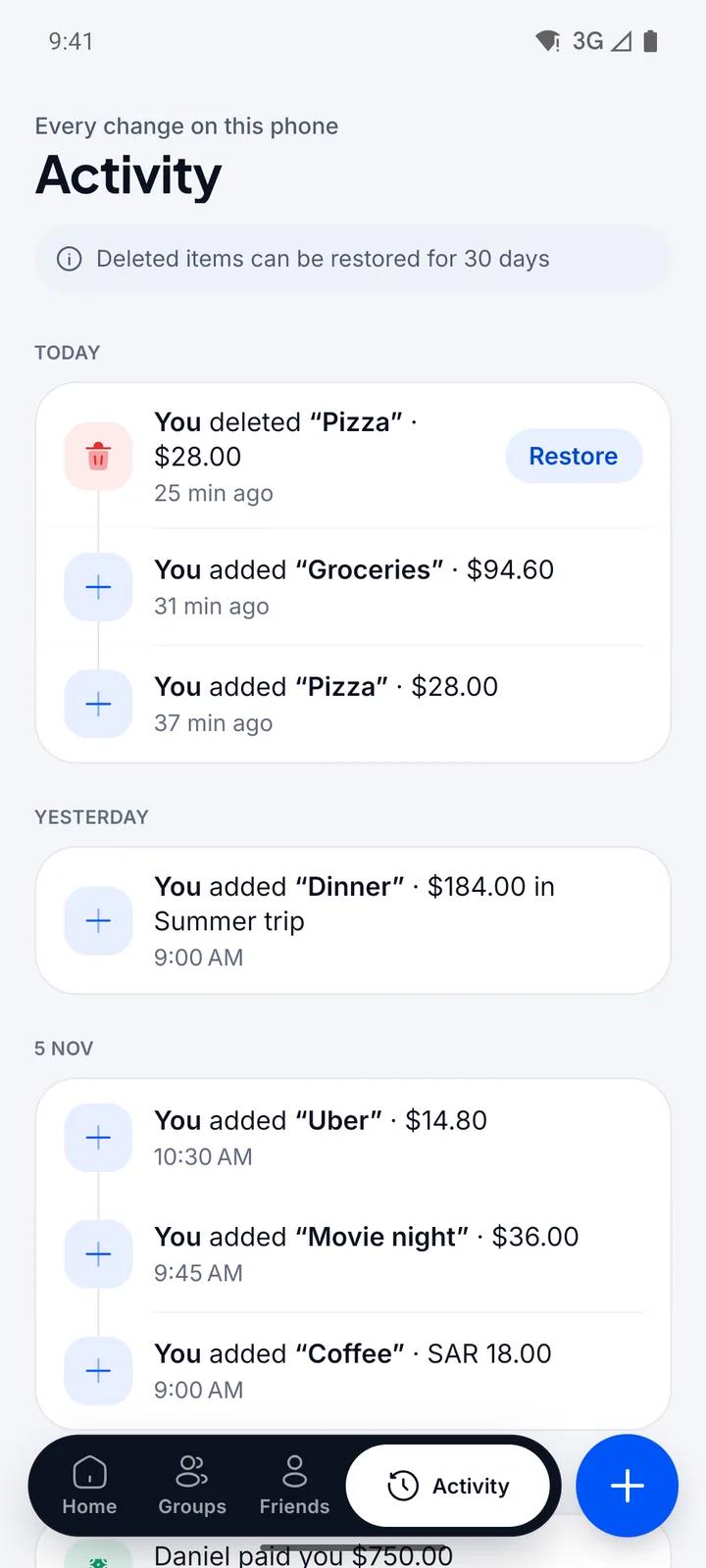
Change your mind? Undo
An Undo bar appears after every save and delete. Activity lists every change on this phone, and anything you delete can be restored for 30 days.
Bill splitter and expense tracker
Fairzo keeps your own spending and the costs you share with friends and groups in one place. Add an expense in three taps, split it any way you like and settle up in the fewest payments. No account, no limits, and your data stays on your phone.
Coming soon toGoogle Play
Coming soon toApp Store
The difference
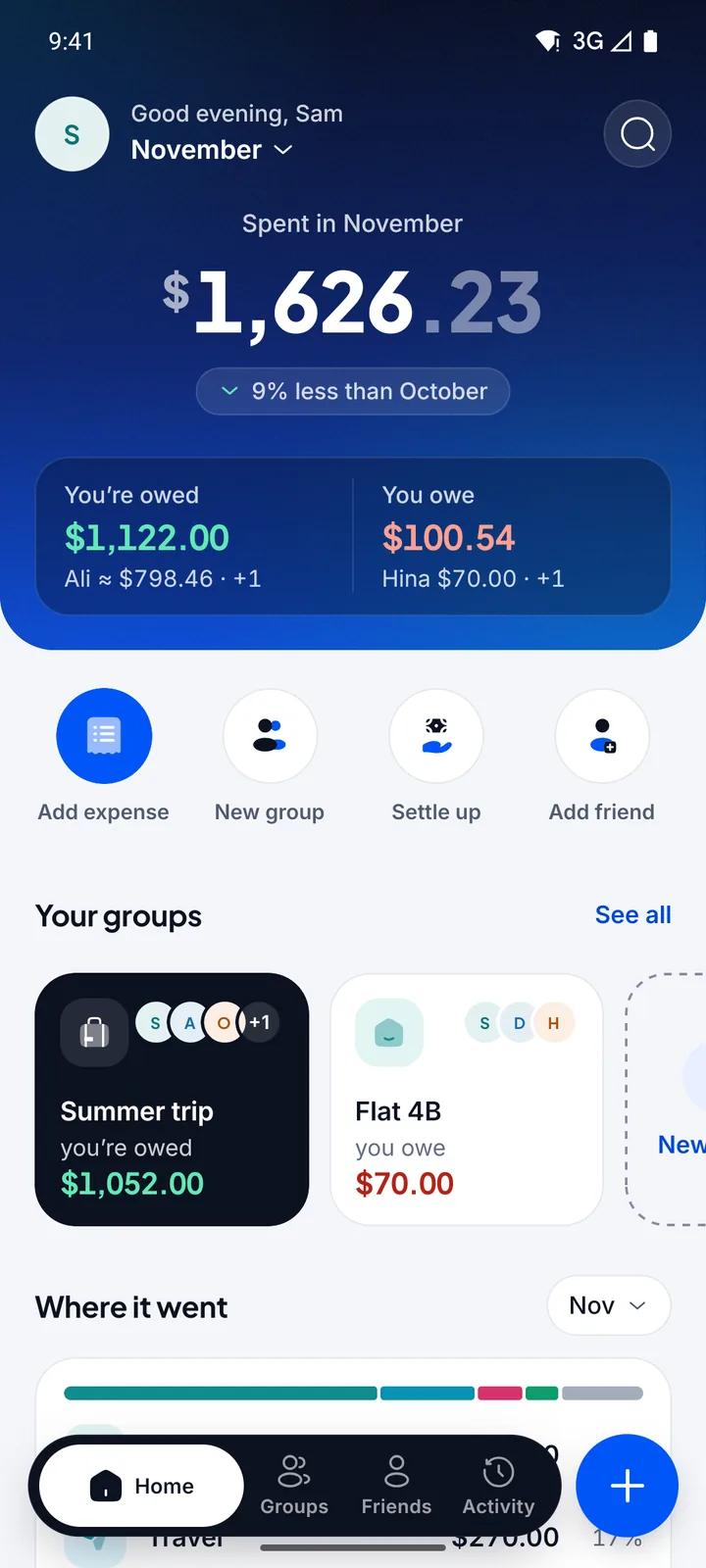
That is half the picture. Your share of the rent, last night's dinner and this morning's taxi all come out of the same pocket.
Fairzo counts them together: what you paid for yourself, plus your share of every bill you split, as one number for the month. Money that friends pay you back is just a debt being cleared, so it isn't counted as spending.
| Expense | Your part |
|---|---|
| Groceries · just you | $94.60 |
| Taxi · just you | $14.80 |
| Dinner · $184.00 split 4 ways | $46.00 |
| Rent · $1,800.00 with 2 flatmates | $600.00 |
| Ali paid you back · $120.00 | not spending |
How it works
The defaults do most of the work: you paid, it was just for you, it happened today, in your main currency. Change only what is different.
A personal expense takes three taps. The amount field is a calculator, so 120+45 works, and Fairzo guesses the category from what you type: “Uber” goes under Transport.
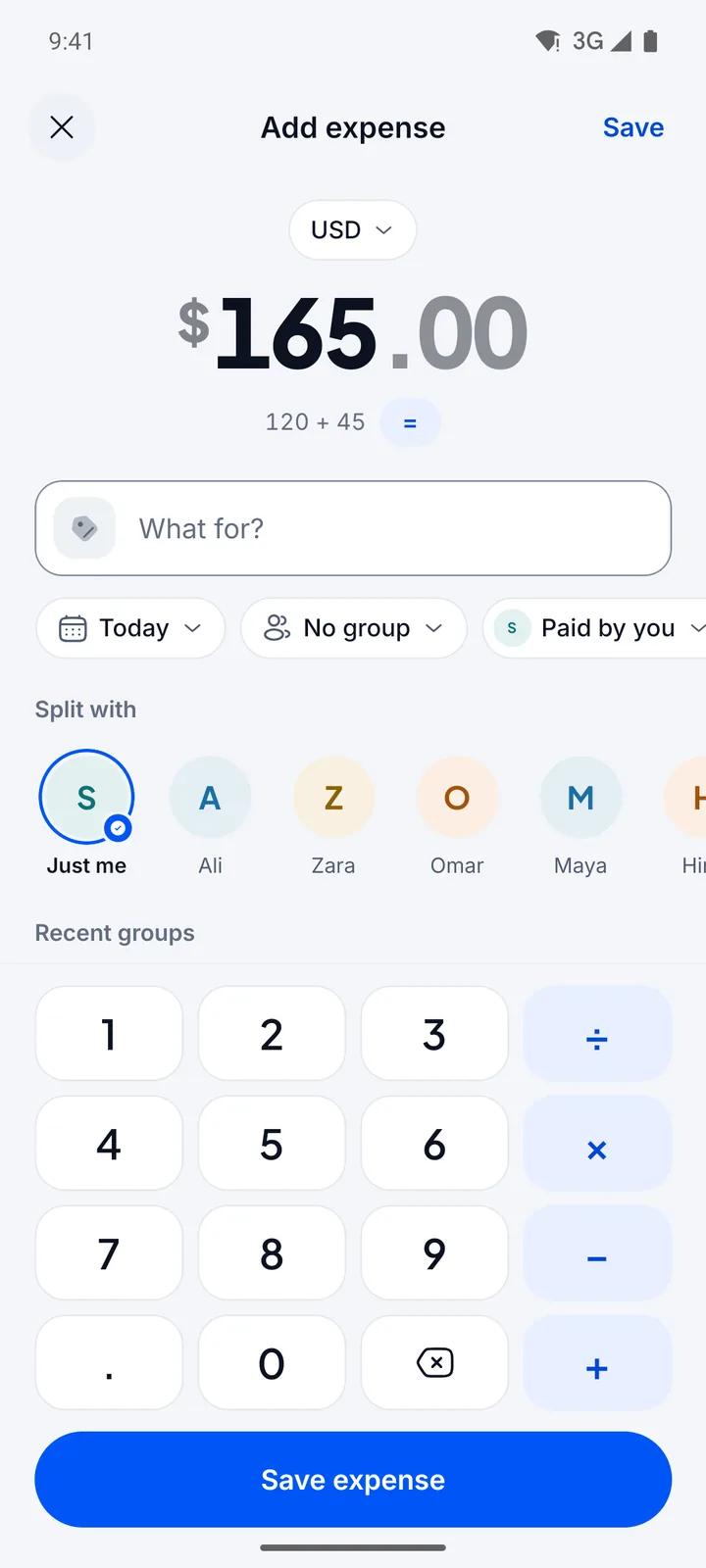
Choose friends or a group before you save. Fairzo splits it equally unless you change it, and every expense shows your part, such as “you owe $46.00 of $184.00”.
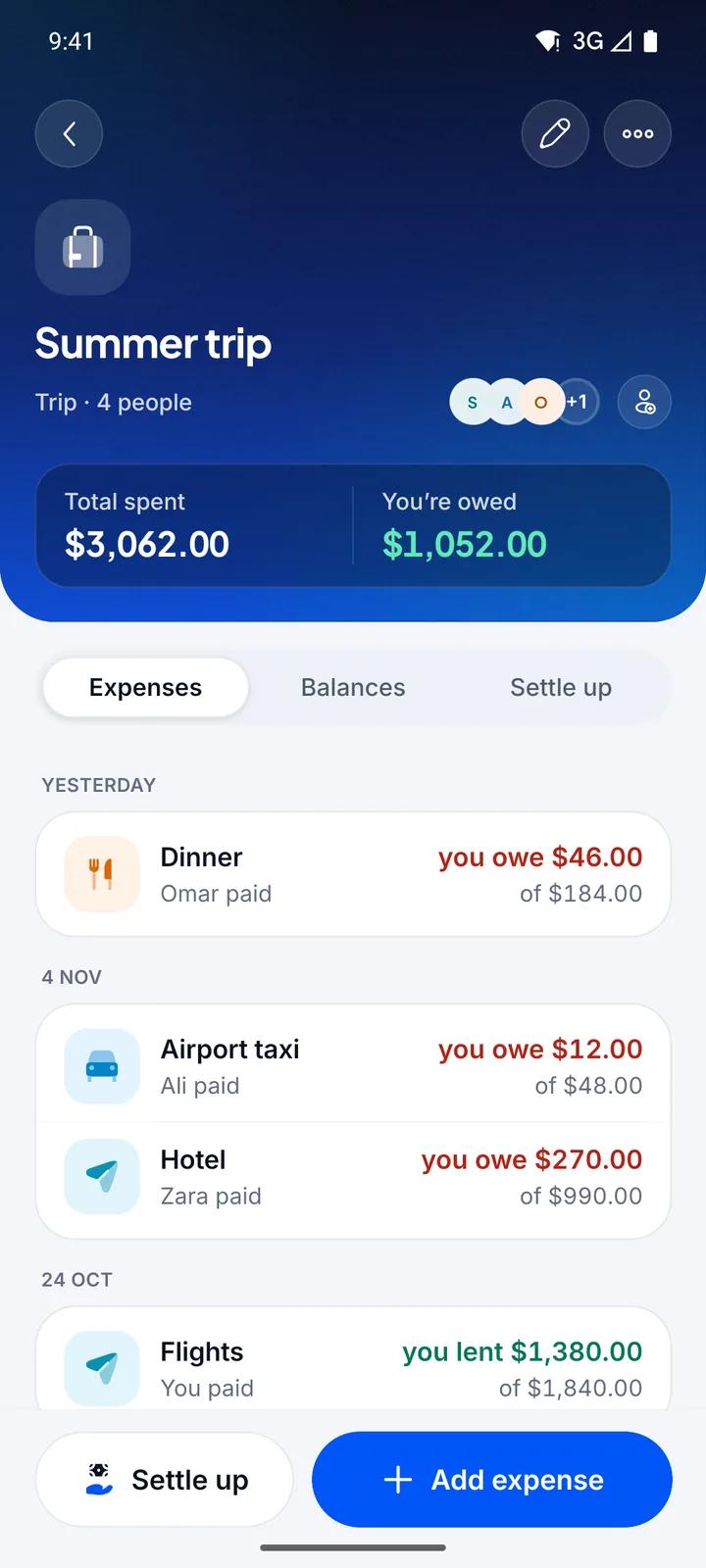
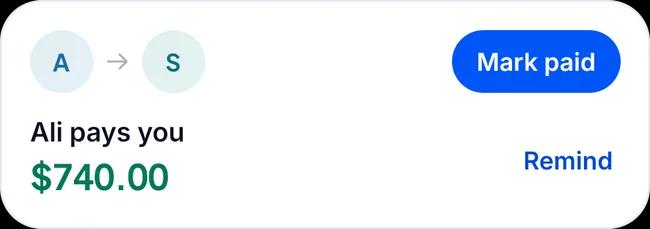
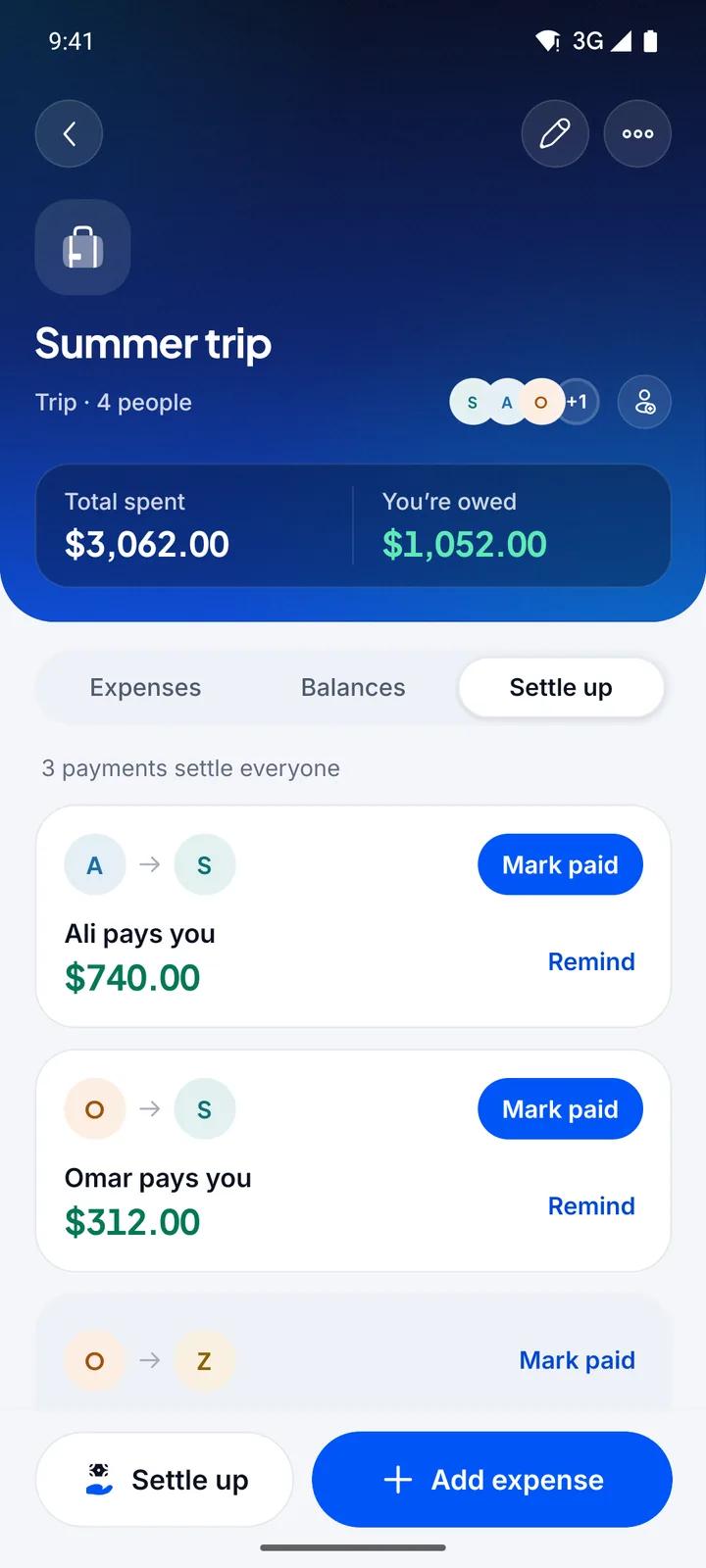
Open the group and tap Settle up. Fairzo works out who pays whom. When the money changes hands, Mark paid records it.
Split any way
Equal is the default. When equal isn't fair, switch to exact amounts, percentages or shares before you save. Fairzo checks the parts add up to the total.
| Split | You | Ali | Zara |
|---|---|---|---|
| EqualEveryone had about the same | 40.00 | 40.00 | 40.00 |
| Exact amountsYou have the itemised receipt | 50.00 | 40.00 | 30.00 |
| PercentageA fixed ratio, like rent by income | 60.0050% | 36.0030% | 24.0020% |
| SharesCounting people: Ali brought a guest | 30.001 share | 60.002 shares | 30.001 share |
Settle up
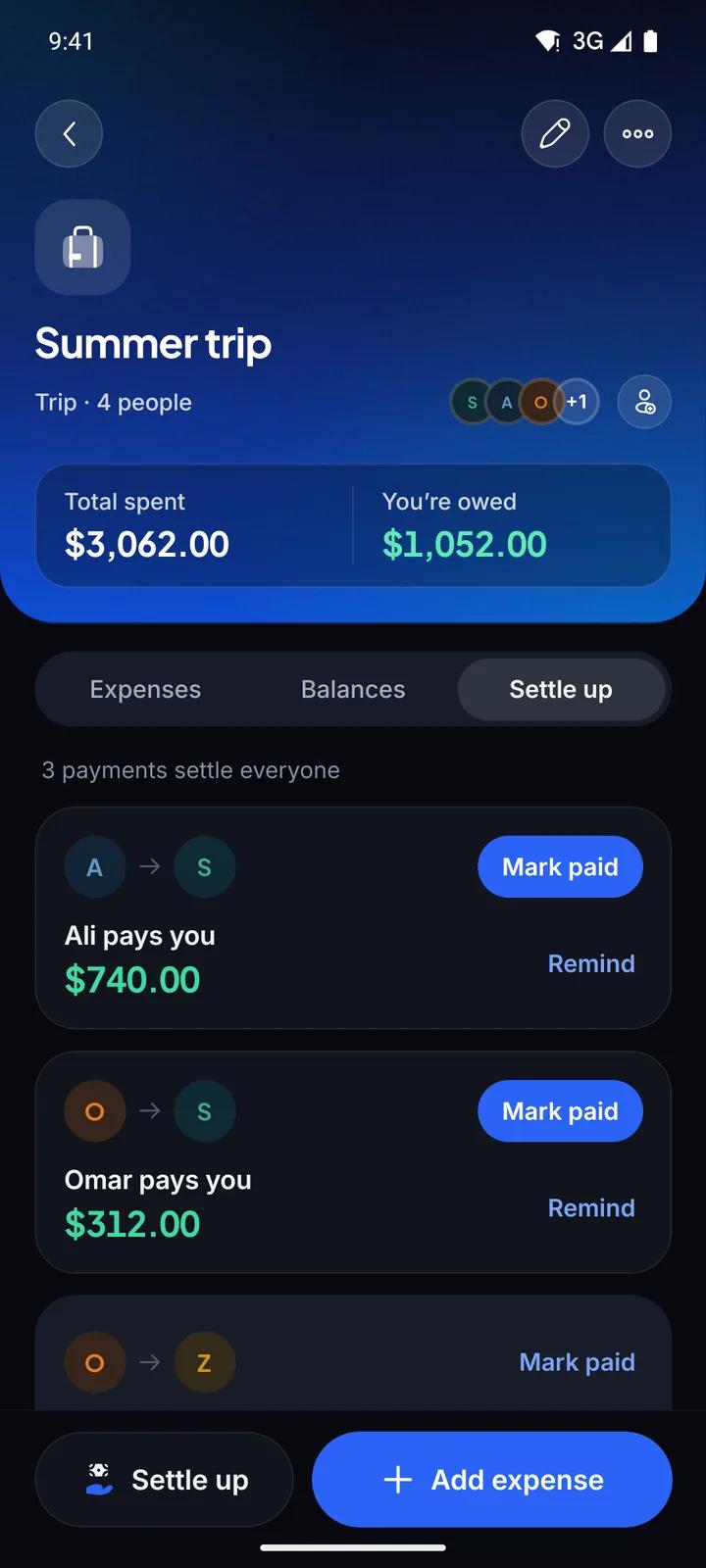
Fairzo adds up every expense and payment in a group, works out where each person stands, and suggests the fewest payments that clear everyone. In this trip, three payments settle four people.
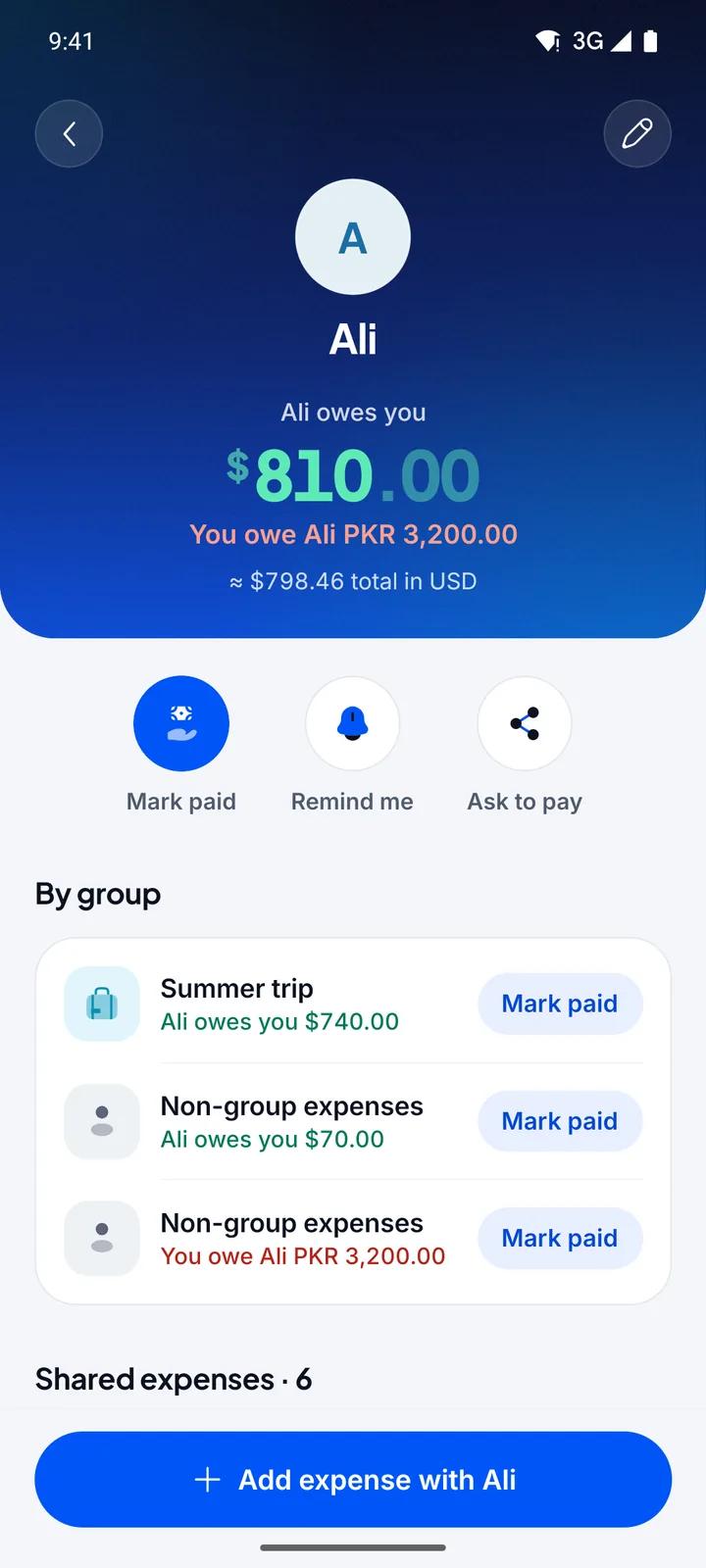
Fairzo never holds or moves money. It keeps the record, and shows one balance with each friend across all your groups.
Currencies
Each expense keeps the currency you paid in. When you save, Fairzo stores the exchange rate for the expense's date with it, so last month's dinner never changes when rates move. Know the exact rate your card charged? Type it in.
Balances with friends stay in their own currency, so a debt in PKR stays in PKR. Home shows your month in your main currency.
Your data
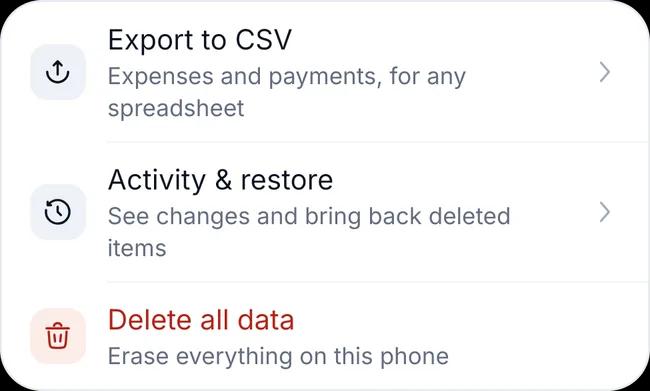
An Undo bar appears after every save and delete. Activity lists every change on this phone, and anything you delete can be restored for 30 days.
Who it's for
Make a group for a trip, a shared home, a couple or work, or split one bill with one friend without making a group at all. Friends are added by name only and don't need the app.
Yes. Fairzo 1.0 is free, with no ads and no in-app purchases. There is no limit on how many expenses, friends or groups you add.
No. There is no sign-up. Everything you enter is stored on your phone, and Fairzo has no server of its own, so we never receive your expenses, the names you type or your balances.
No. You add friends by name only, with no email or phone number. They don't get an account and can't see your data. When someone owes you, Ask to pay writes a message you can send from any app on your phone.
It adds up every expense and payment in a group, works out what each person owes or is owed overall, and suggests the fewest payments that clear everyone. You also see one balance with each friend across all your groups.
No. Fairzo never holds or moves money. Pay your usual way, in cash, by bank transfer, with a wallet app or by card, then tap Mark paid so the balance updates. Part payments are fine.
Fairzo supports 50 currencies, including SAR, AED, PKR, INR, USD, EUR, GBP. Each expense keeps the currency you entered, and the exchange rate for its date is fixed when you save, so old totals don't shift when rates move. You can type your own rate. Balances with friends stay in their own currency, and Home shows your month in your main currency.
Yes. Right after you save or delete something, tap Undo. For 30 days after a delete, you can bring the item back from the Activity tab.
Fairzo's data is part of your phone's own backup: iCloud Backup on iPhone, Google backup on Android. Restore that backup onto your new phone and it comes back. Backups don't move between iPhone and Android, so export to CSV before you switch.
Fairzo isn't in the stores yet. It's coming to Google Play and the App Store, and this page will link to them as soon as each one is live.

Fairzo isn't in the stores yet. It's coming to Google Play and the App Store, and this page will link to them as soon as each one is live. There's no account to create when it arrives.
Coming soon toGoogle Play
Coming soon toApp Store